Free Pomodoro Timer for Deep Work. Stop Procrastinating today.
The most advanced free online Pomodoro timer for students, developers, and professionals. Master your time with customizable intervals, deep work tracking, and ADHD-friendly focus tools.
Who is Pomodo For?
Tailored workflows for every type of deep worker
Developers
Stop context switching. Use the 50/10 rule to maintain complex mental models and code in flow.
Marketers
Crush campaign deadlines. Batch content creation and analytics reviews into focused sprints without distraction.
Web Masters
Manage server migrations and critical updates with precision. Time-box your troubleshooting to prevent burnout.
Students
Ace your exams. Use spaced repetition intervals to retain more information and study for longer without fatigue.
Business Owners
Reclaim your schedule. Block out deep work sessions for strategy and high-leverage tasks amidst the daily chaos.
Writers
Banish writer’s block. Commit to short bursts of focused writing to build momentum and hit your word count goals.
ADHD Minds
Gamify your focus. Use structured work/rest cycles to maintain engagement and overcome time blindness.
Designers
Enter the flow state. Dedicate uninterrupted blocks to creative work and iterate faster on your designs.
Researchers
Deep dive into data. Maintain concentration during long periods of analysis and synthesis without losing your thread.
Everything You Need to Stay Focused
A simple, powerful timer built for deep work
Customizable Presets
Traditional 25/5/30, Sprint (15 min), Deep Work (45 min), or create your own custom intervals. Different tasks need different rhythms.
Auto-Start Flow
Enable auto-start to maintain seamless transitions between work and breaks. Stay in the zone without manual clicking.
Visual Progress Tracking
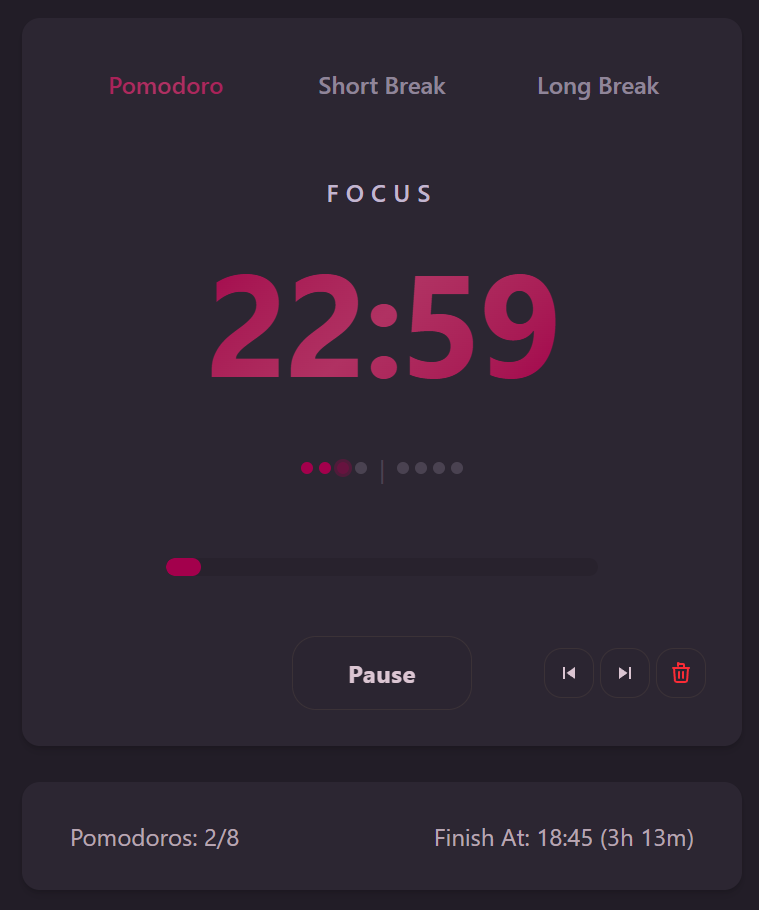
Session dots show completed Pomodoros, your current interval, and when your next long break arrives. See your momentum build.
Smart Notifications
Multiple alarm sounds with adjustable volume. Desktop notifications keep you informed even when the tab isn’t active.
Daily Goal Setting
Set your daily Pomodoro target and see an estimated finish time that updates as you complete sessions.
Privacy First
All your timer settings and preferences are stored locally in your browser. No accounts, no personal data collection. Just you and your work.
The Deep History of Focus Science
Journey through 180 years of groundbreaking discoveries that revealed how our minds and bodies really work. From the first biological clock experiments in 1842 to modern neuroscience breakthroughs.
Attention Span
Our capacity for sustained focus wanes after ~20 minutes for demanding tasks.
Pomodoro Connection: 25-min sessions end before vigilance drops.
Key Papers: Ariga & Lleras 2011; Ralph et al. 2020
Ultradian Rhythm
90-120 minute physiological cycles of alertness and fatigue.
Pomodoro Connection: Four Pomodoros (~2 h) map onto one ultradian peak.
Key Papers: Kleitman 1963; Lavie 1983
Dopamine Reward Loops
Small wins release dopamine, reinforcing positive behavior.
Pomodoro Connection: Completing a Pomodoro + ticking a box = micro-reward.
Key Papers: Schultz 1997; Wise 2004
Parkinson's Law
Work expands to fill the time available.
Pomodoro Connection: Fixed 25-min deadline squeezes task scope.
Key Papers: Parkinson 1955
Zeigarnik Effect
We recall unfinished tasks better than finished ones.
Pomodoro Connection: Knowing a break is coming keeps tasks top-of-mind.
Key Papers: Zeigarnik 1927
Cognitive Load Theory
Working memory has limited capacity for processing information.
Pomodoro Connection: Regular breaks prevent cognitive overload and maintain mental clarity.
Key Papers: Sweller 1988; Baddeley 2000
Historical Timeline at a Glance
1842: First Biological Clock Discovery
German physician Augustus Gierse makes the first systematic measurements of human daily temperature rhythms.
1851: Multi-System Coordination
F. von Baerensprung discovers that temperature and heart rate cycles work in perfect synchronization.
1887: The Limits of Willpower
Ugolino Mosso’s self-experiments reveal the dangers of fighting our natural biological rhythms.
Note: Explore our comprehensive timeline chronicling how the study of human performance evolved from ancient folklore to rigorous science, revealing the biological foundations that make techniques like Pomodoro so effective.
What People Are Saying
Thousands of people use the Pomodoro Technique to improve their focus and productivity
Chaza
@Chaza_artist
I used the Pomodoro Technique in school and it helped me manage my time, stay on task, and actually finish things.
Fejiro
@realFejiro
If you're struggling to learn or stay focused, try the Pomodoro Technique. Simple but wildly effective.
NetworkChuck
@NetworkChuck
You NEED to use the Pomodoro method—25 mins on, 5 mins off. Total game-changer for productivity.
Daniel Aros
@thedanielaros
Stuck in the doom-scroll? Pomodoro gets me back into deep work—25 minutes at a time.
Edustipend
@edustipend
Want to learn faster and procrastinate less? The Pomodoro Technique is our favourite study hack.
Phyllis Pometta
@phyllispometta
25-minute Pomodoro bursts keep me on top of client projects and my energy high all day.
Homework Help Global
@HomeworkHelpInc
We LOVE the Pomodoro Method! It's the easiest way to stay focused without burning out.
Roger Francis
@RogerFrancis1
Stay focused using the Pomodoro Technique—simple, structured, and incredibly effective.
Elizabeth Linos
@ElizabethLinos
Today's Pomodoro strategy: 25 mins writing, 5 mins news. Rinse and repeat. Works every time.
Andrew Lokenauth
@FluentInFinance
Use the Pomodoro Technique—25-minute focus blocks followed by 5-minute breaks. It keeps me laser-sharp.
Sage (Oluwaseun Ayansola)
@OJayansola
The Pomodoro Technique: work 25, break 5. Repeat. Honestly the simplest way I've found to beat procrastination.
Children's Health Scotland
@ChildHealthScot
The Pomodoro Technique breaks work into 25-minute intervals with short breaks—it's perfect for keeping kids (and adults) on track.
Jessica Gendron
@JessGendron
Working from home? Our fool-proof schedule starts with the Pomodoro Technique—trust me, it works.
Sebastian Röhl
@SebastianRoehl
I'll kick off the week with the Pomodoro Technique—it's helped me a lot in the past to stay productive.
FSU ITS
@FloridaStateITS
Turn your laptop into a productivity beast: try the Pomodoro method—25 min focus, 5 min break, repeat.
Nikki Limo
@NikkiLimo
Dude, a Pomodoro timer is literally life-changing for ADHD.
Kartik Papney
@kartikhelpline
Suffering from constant distractions? The Pomodoro Technique can help—set 25 mins, work, break, repeat.
Ali Abdaal
@AliAbdaal
The Pomodoro Technique—25 minutes on, 5 off—is still one of my top five productivity tips.
Cha
@Cha080525
Yes, I love the Pomodoro method—short bursts of work keep me sane.
Jesse Singal
@JesseSingal
The 'Pomodoro method' is a simple hack: work in short chunks, break, repeat. It's surprisingly effective.
Getting Started: Your First Pomodoro
A step-by-step guide to using the timer effectively
1. Plan Your Day
Before you press start, decide what you want to accomplish today. Create a focused list of tasks you’ll work on. You can use your favorite task management app or a simple pen and paper.
The goal is to commit to a set of priorities, preventing distractions from a larger backlog.
Download our To Do Today Sheet: PDF | Google Docs
2. Estimate Your Effort
Once you have your list, estimate how many Pomodoros each task will take. A good rule of thumb: break down any task requiring more than 5-7 Pomodoros into smaller chunks.
Record the number of available Pomodoros, assign them to tasks, and tick them off as you go.

3. Set Your Session Goal
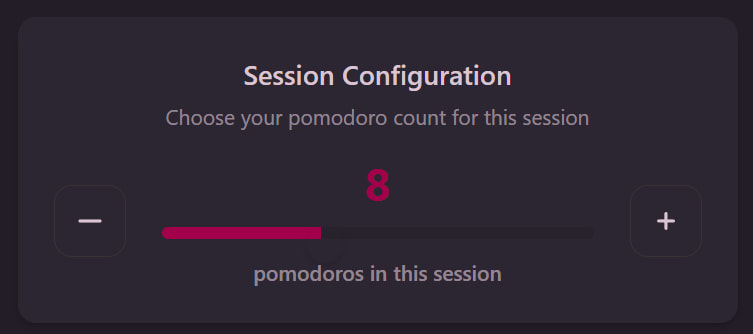
Below the main timer, use the session configuration to choose how many Pomodoros you want to complete (default is 8).
4. Press Start and Focus
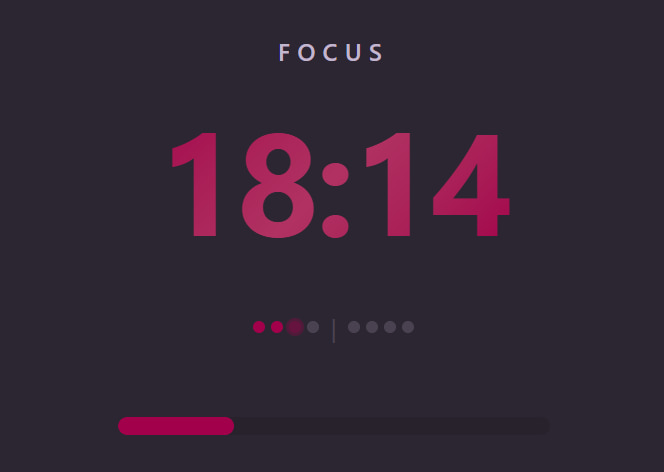
Click Start to begin your first Pomodoro. The timer counts down from 25 minutes. Work on your chosen task without interruption until the timer rings. The progress bar shows your progress through the interval.
5. Take Your Break
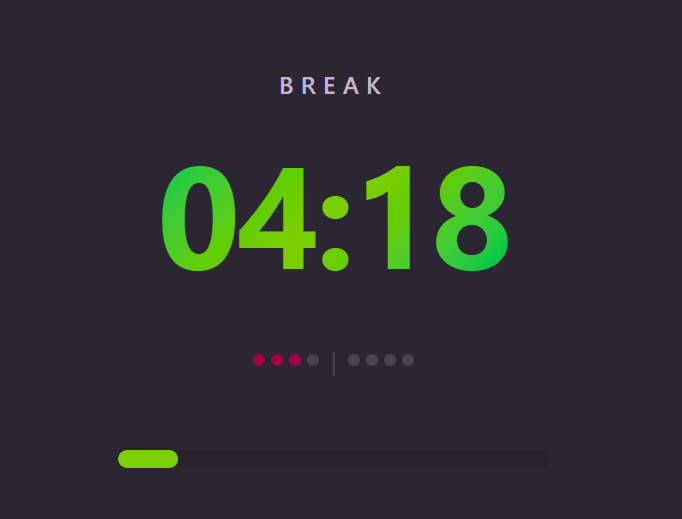
When the alarm sounds, take a 5-minute break. The timer automatically switches to “Short Break” mode if auto-start is enabled. After 4 Pomodoros, you earn a longer 15-30 minute break.
These break intervals align with your body’s natural ultradian rhythms — the 90-120 minute cycles of alertness and fatigue discovered by pioneering physiologists in the 1800s.
Understanding Your Timer
What the interface means and how to control it
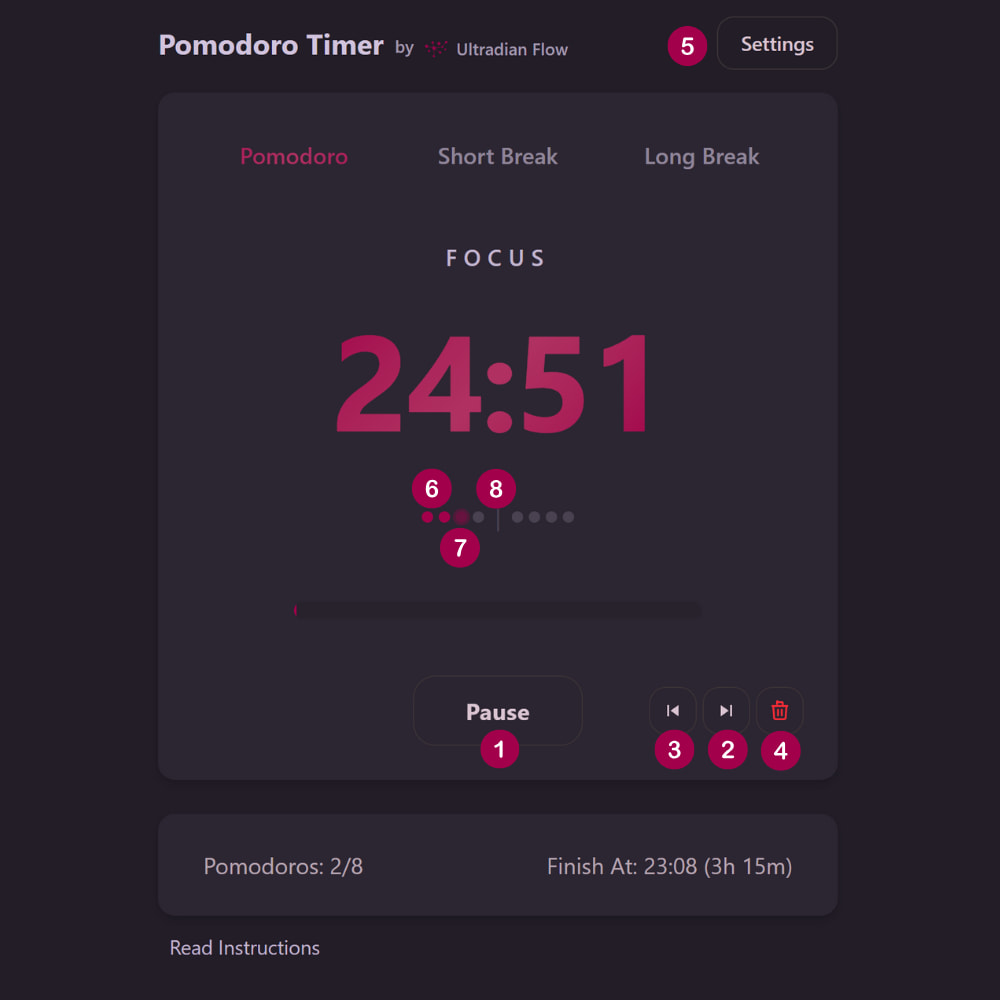
The Controls
- 1Start / Pause / Resume - Your main control. Starts, pauses, and resumes the timer.
- 2Next (→) - Skips to the next interval (work → break or break → work). Only enabled when timer is active.
- 3Rewind (←) - Goes back to the previous interval. Only enabled after you've completed at least one Pomodoro.
- 4Reset (🗑) - Clears the entire session. Requires confirmation to prevent accidents.
- 5Settings - Customize timer presets, notifications, and auto-start behavior.
The Progress Dots
- 6Filled dots - completed Pomodoros
- 7Pulsing dot - current interval
- 8Separator (|) - where your next long break occurs
Mastering the Settings
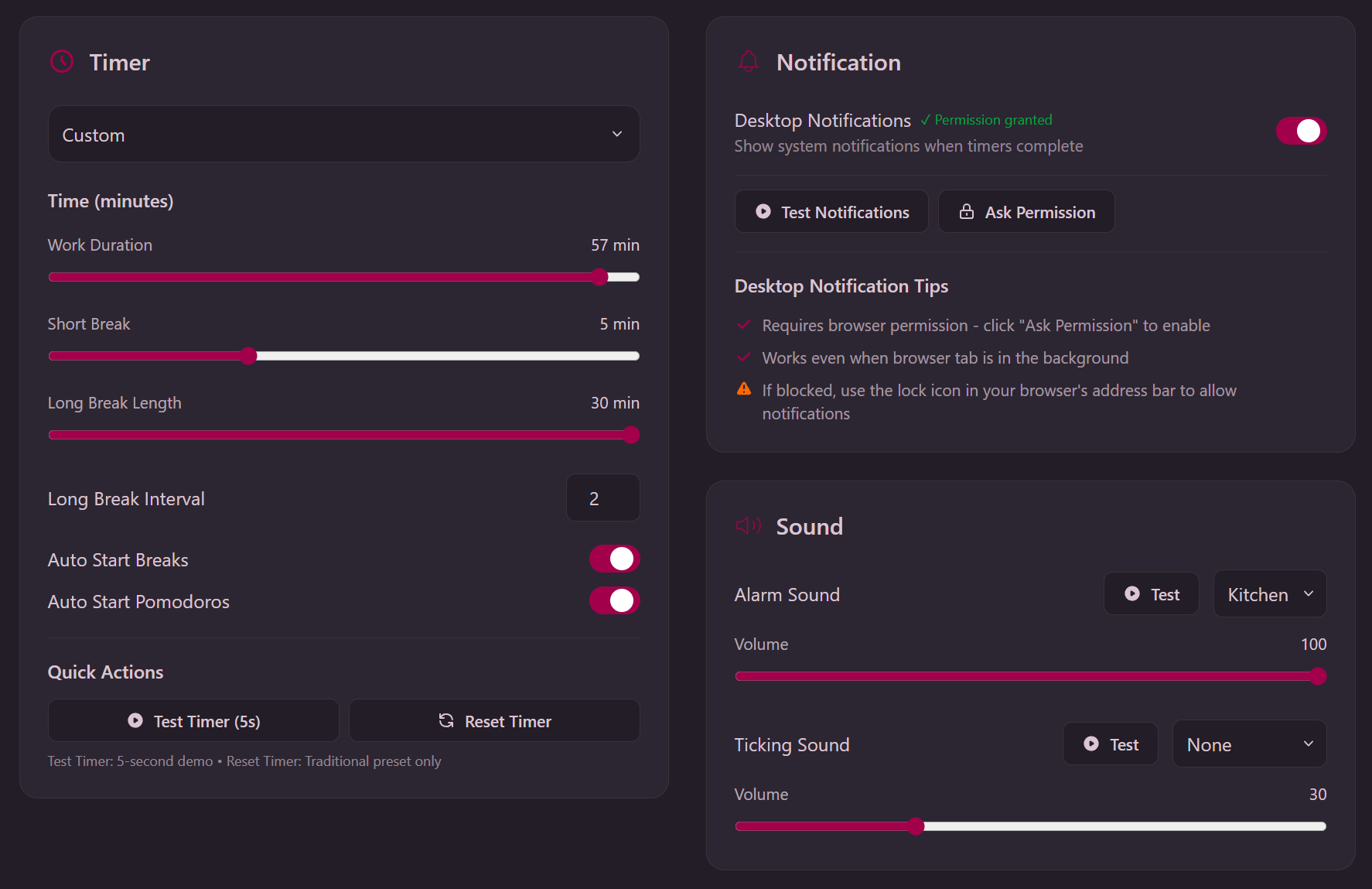
- Timer Presets:
- Traditional - 25 min work / 5 min short break / 30 min long break (every 4 Pomodoros)
- Sprint - 15 min sessions for quick tasks
- Deep Work - 45 min blocks for intensive concentration
- Custom - Create your own intervals (auto-selected when you adjust sliders)
- Auto Start - Automatically start the next break or Pomodoro without clicking
- Sound - Choose alarm sound and volume (with test button)
- Desktop Notifications - Get notified even when the browser tab isn’t active
The Three Rules
What separates effective Pomodoro use from just running a timer
1. A Pomodoro is Indivisible
A 25-minute Pomodoro is an atomic unit of work. It cannot be split. If you’re interrupted, the Pomodoro is void. You should start a new one.
This isn’t harsh. It’s protective. It trains you to defend your focus time.
“A Pomodoro can’t be interrupted; it marks 25 minutes of pure work. A Pomodoro can’t be split up; there is no such thing as half of a Pomodoro or a quarter of a Pomodoro. The atomic unit of time is a Pomodoro.
2. Protect Your Pomodoro
- Internal interruption? Write it down immediately, continue working.
- External interruption? Politely defer to your next break. “I’ll be available in 15 minutes.”
- Genuine emergency? Handle it, void the Pomodoro, start fresh.
The technique teaches you to identify interruption patterns and develop prevention strategies.
“Protect the Pomodoro means: inform effectively, negotiate quickly to reschedule the interruption, and call back the person who interrupted you as agreed. The Inform, Negotiate, Call Back Strategy enables you to control external interruptions by simply rescheduling them in a later Pomodoro the same day or another day according to the degree of urgency.
3. Finished Early? Overlearn
Completed your task before the timer rings? Use the remaining time to review and improve your work.
Reinforce what you learned. Spot areas for improvement. Don’t just stop and wait for the bell.
“If you finish a task while the Pomodoro is still ticking, the following rule applies: If a Pomodoro Begins, It Has to Ring. It’s a good idea to take advantage of the opportunity for overlearning, using the remaining portion of the Pomodoro to review or repeat what you’ve done, make small improvements, and note down what you’ve learned until the Pomodoro rings.
These aren’t arbitrary restrictions. They’re the difference between “I used a timer today” and “I actually got deep work done.”
Master the Technique
Learn the principles behind effective Pomodoro practice
Using this timer is simple. Click start, work for 25 minutes, take a break. But using it effectively requires understanding the principles behind the technique.
Our Getting Started with Pomodoro guide is a complete beginner’s resource based on Francesco Cirillo’s original methodology:
- The evolutionary approach - Why you shouldn’t try to master everything on Day 1
- Your first goal - Understanding Objective I and why observation beats optimization
- Handling interruptions - Internal vs. external, and when to void a Pomodoro
- Common beginner mistakes - The pitfalls that derail people in their first sessions
- What to expect emotionally - Ring anxiety, internal interruptions, and realistic Day 1 outcomes
Perfect companion to this timer. Read the guide, then come back and start your first focused session.
Frequently Asked Questions
Everything you need to know about productivity techniques, our tools, and the science behind focus